 The AI Tool Shelf
- HeyGen Video generates picture and sound together; we tested it free on HeyGen's web playground (2 clips a day, about 5 seconds each).
- Both Moroccan scenes matched our prompts closely; the oud sounded real and hands and walking looked natural.
- It missed the crowd noise in one clip but added wind and birds in the other.
- The playground has no download; Cinematic mode in the app is paid, with plans from $29/month.
HeyGen, best known for AI avatars, has launched HeyGen Video, a text-to-video model that generates the picture, dialogue and sound effects of a scene in one pass. HeyGen says it ranks first on Artificial Analysis' video leaderboard. We wanted to see what you can actually do for free, so we tested it the day after launch with two Moroccan scenes: an oud player in a Marrakech alley at night, and a girl walking through the blue streets of Chefchaouen. Here are the results, with screenshots, and the limits of the free plan.
Where to try HeyGen Video for free
This was the first surprise. Inside the HeyGen app, the new model lives in the Cinematic mode of the single-scene creator, and on our free account it showed: "Cinematic mode unavailable with the free plan", with an upgrade button instead of Generate.
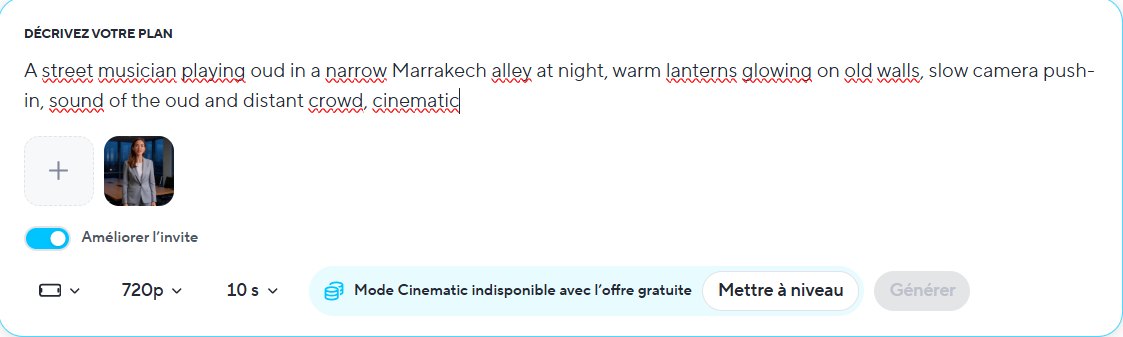
The free way in is the separate web playground on HeyGen's model page. It is free with a HeyGen account and allows 2 clips a day, each about 5 seconds long with sound. You describe the shot (up to 1,000 characters), pick a style (Claymation, Live action, Anime or Screen print) and a format (16:9, 9:16 or 1:1), confirm you are human, and generate.
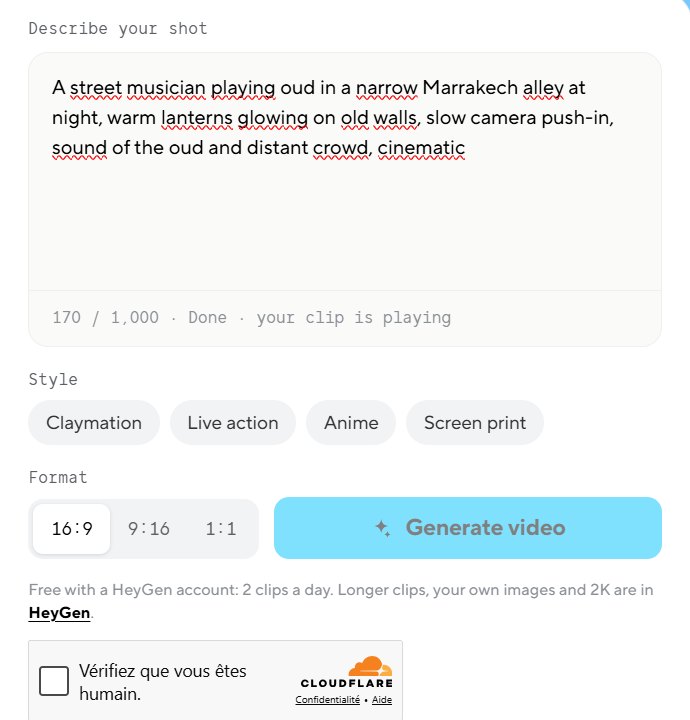
Test 1: an oud player in a Marrakech alley
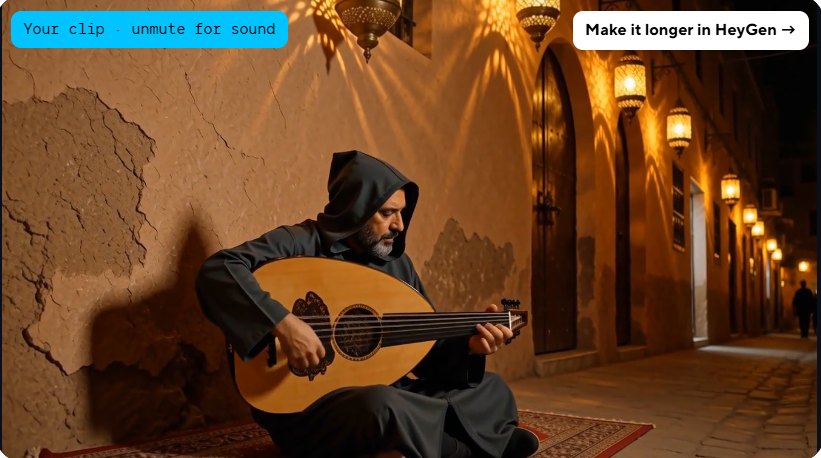
- The scene matched the prompt: a musician in a hooded djellaba sitting on a traditional rug, brass lanterns along old ochre walls, and a figure walking in the depth of the alley.
- The oud sounded real. The audio was a convincing oud, generated together with the picture.
- The hands looked natural on the strings, which is impressive: hands are often where AI video breaks down.
One miss: we asked for the sound of a distant crowd, and we did not hear any street or crowd noise, only the oud.
Test 2: a girl walking through Chefchaouen
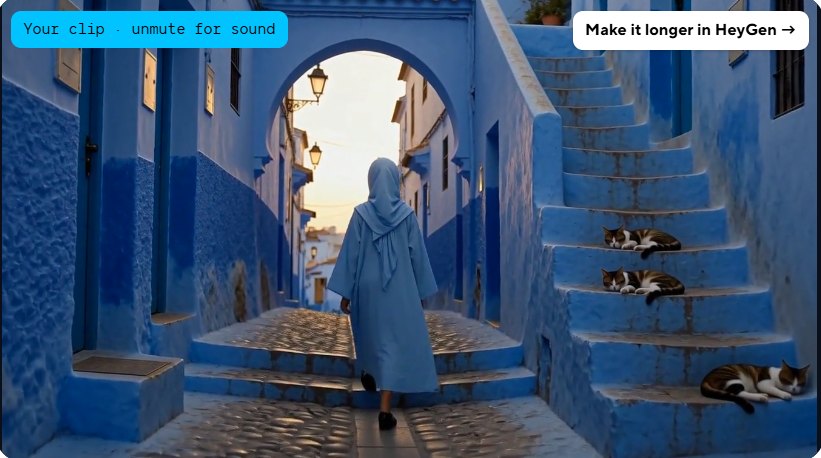
- Every element was there: the blue djellaba, the blue walls and stairs, sunrise light through an archway and three cats sleeping on the steps.
- The sound matched this time: we could hear the wind and birds singing.
- The walk looked natural, and the cats looked real.
After this second clip, the button changed to "Continue in HeyGen": the two free clips for the day were used up.
What the free plan does not include
- No download button in the playground. The clip plays on the page; downloads, longer clips, your own images and 2K resolution need the HeyGen app.
- Short clips: about 5 seconds each, 2 per day.
- Cinematic mode in the app is paid only, as is the newest avatar model.
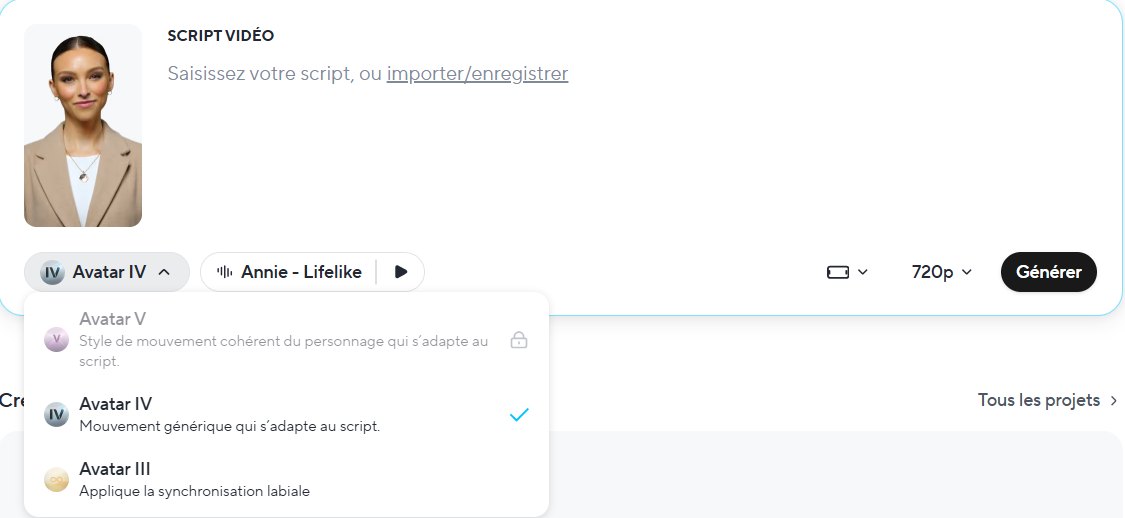
We also tried the app's free Presenter mode, which makes a talking-avatar video. It worked and produced a 12-second clip with a HeyGen watermark, using the Avatar IV model; the newer Avatar V was locked on the free plan. (Our mistake: we pasted the scene description as the script, so the avatar simply read it out. Presenter mode is for scripts, not scene descriptions.)
HeyGen pricing
When we tried a paid feature, HeyGen showed two plans (October 2026):
- Creator: $29/month.
- Pro: $49/month, with everything in Creator plus access to Seedance 2.5, 1,000 monthly credits (67% more than Creator), every new frontier model as it ships, 4K video export and customizable monthly usage.
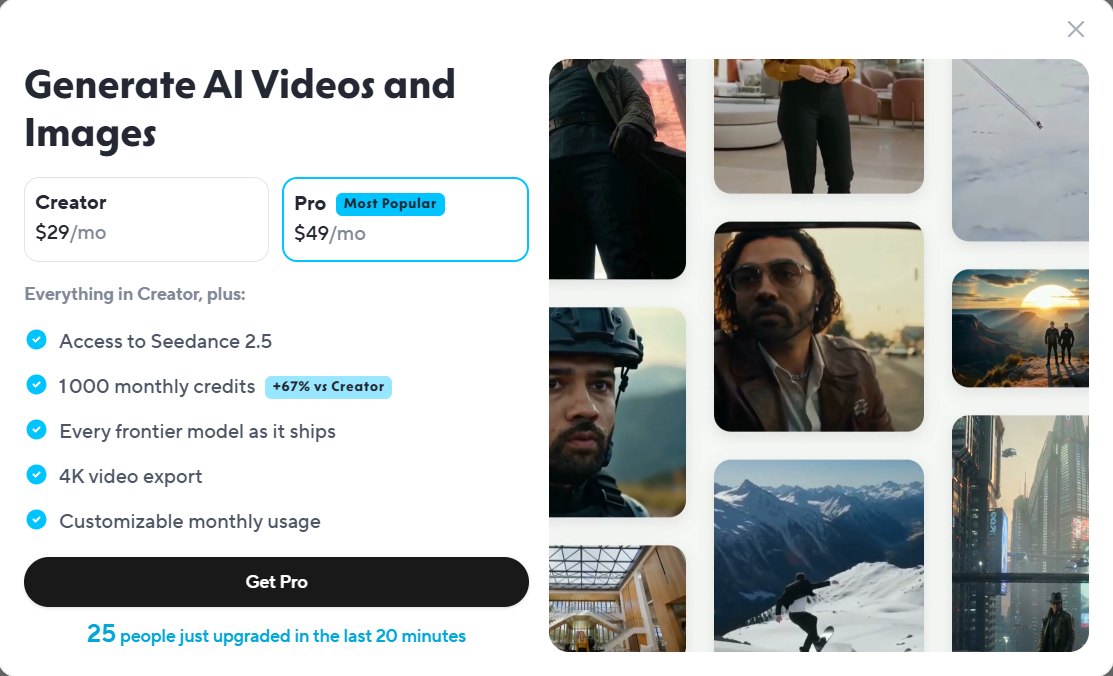
Interesting detail: Seedance 2.5 is the same video model behind ElevenLabs Chimera. Ignore the "people just upgraded" counter in the upgrade window; it is a sales nudge, not a reason to buy.
HeyGen Video vs Synthesia and Pictory
- HeyGen Video creates short, cinematic shots with sound from a description: great for B-roll, intros, music videos and social clips.
- Synthesia builds complete presenter-led explainer videos with an AI avatar and slides.
- Pictory turns an article or script into a video with stock footage and a voiceover.
The verdict
HeyGen Video impressed us on the free playground: both Moroccan scenes matched our prompts closely, the oud sounded real, hands and walking looked natural, and the Chefchaouen clip even added the wind and birds we asked for. It is not perfect (the crowd noise was missing from the first clip), and the free option is limited to two short clips a day with no download. But as a free way to see what the newest AI video models can do, it is one of the best we have tried. To actually use the clips, you will need the HeyGen app and a paid plan.