 The AI Tool Shelf
 Rachid Amesrouy
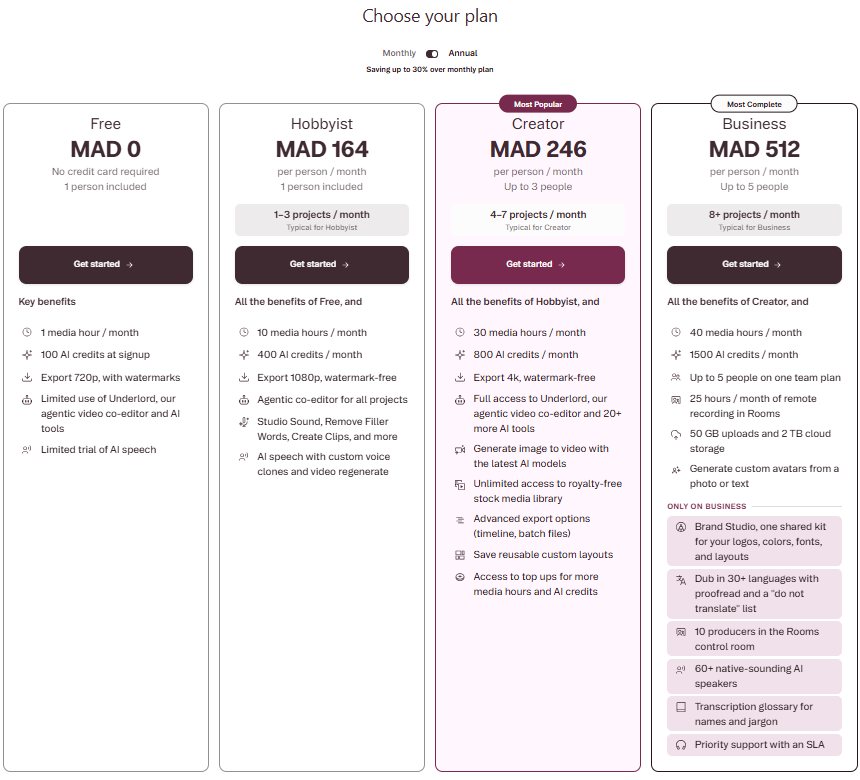
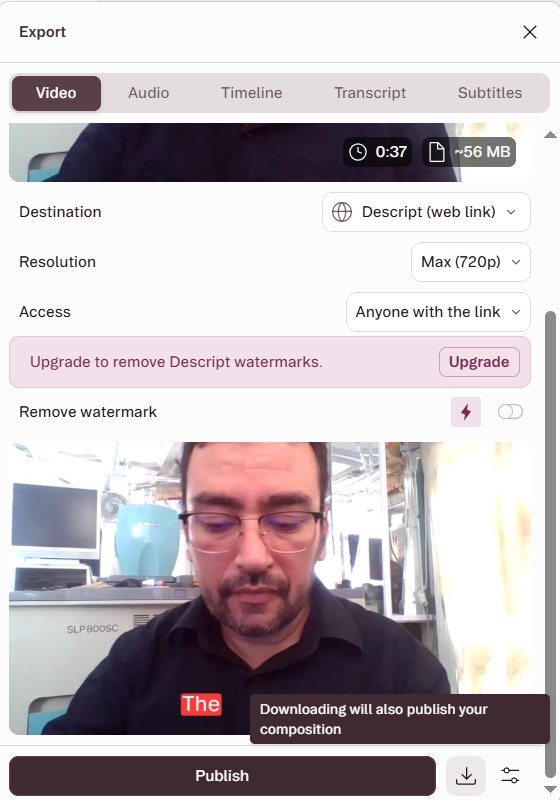
- Descript's free plan gives 1 media hour a month and 100 AI credits, with 720p watermarked exports.
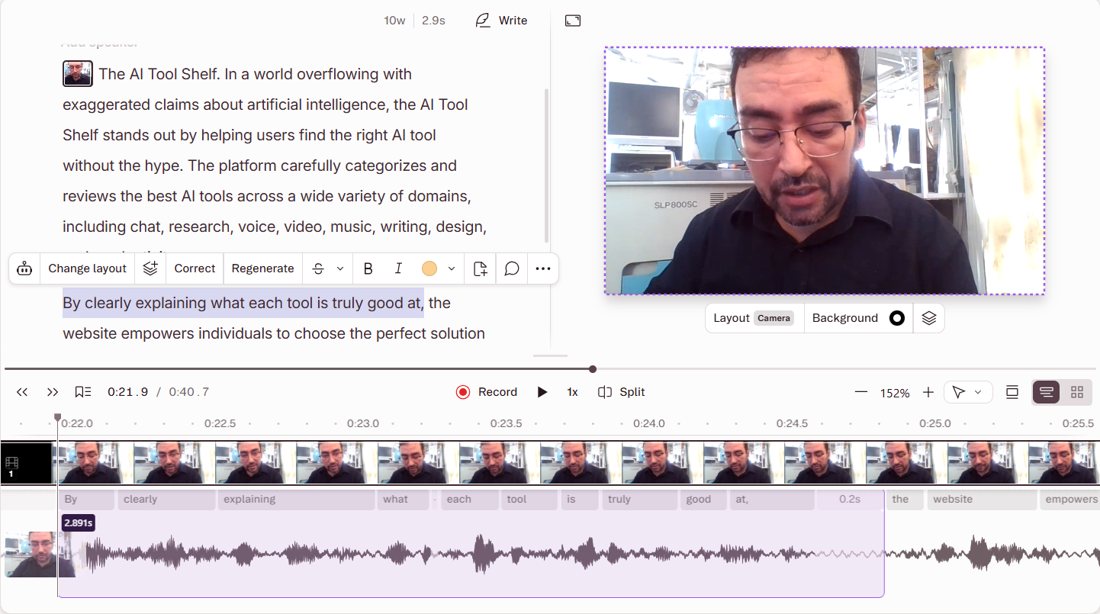
- Deleting a sentence from the transcript removed it from the video (40.7 s down to 37.8 s).
- Underlord found no filler words, kept 'right' as an adjective, trimmed a 1.76 s silence and added captions for 10 credits.
- Paid plans start around MAD 164/month billed yearly for 1080p without a watermark.
Descript is the video and audio editor that lets you edit by editing text: it transcribes what you say, and when you delete a sentence from the transcript, it disappears from the video. It now also has Underlord, an AI co-editor you give instructions to in plain English. We tested the free plan in October 2026 by recording a short talking video in our photo lab, editing it as text, and asking Underlord to clean it up and add captions.
The short verdict
| Test | Result |
|---|---|
| Record and transcribe (English) | ✅ Accurate transcript of a 40-second recording |
| Edit video by deleting text | ✅ Sentence removed, video went from 40.7 s to 37.8 s |
| Underlord: remove fillers and pauses, add captions | ✅ Smart and honest; used 10 of 100 AI credits |
| Free export | ⚠️ 720p maximum, with a Descript watermark |
The free plan
Descript showed us its plans in Moroccan dirhams (MAD), billed yearly:
- Free (MAD 0): 1 media hour a month, 100 AI credits at sign-up, 720p export with watermarks, limited use of Underlord and a limited trial of AI speech. No credit card needed.
- Hobbyist (MAD 164/month): 10 media hours, 400 AI credits a month, 1080p without watermark, Studio Sound, Remove Filler Words and Create Clips.
- Creator (MAD 246/month): 30 hours, 800 credits, 4K export and full Underlord.
- Business (MAD 512/month): 40 hours, 1,500 credits and dubbing into 30+ languages.
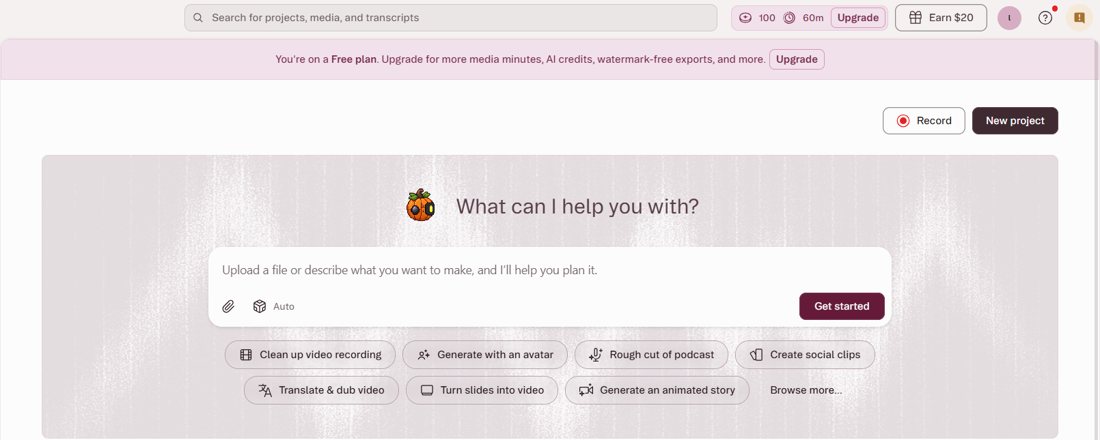
After sign-up, the home screen opens on Underlord ("What can I help you with?") with shortcuts such as Clean up video recording, Create social clips, Translate & dub video and Generate with an avatar. Our free account showed 100 AI credits and 60 minutes of media time.
Test 1: record and transcribe
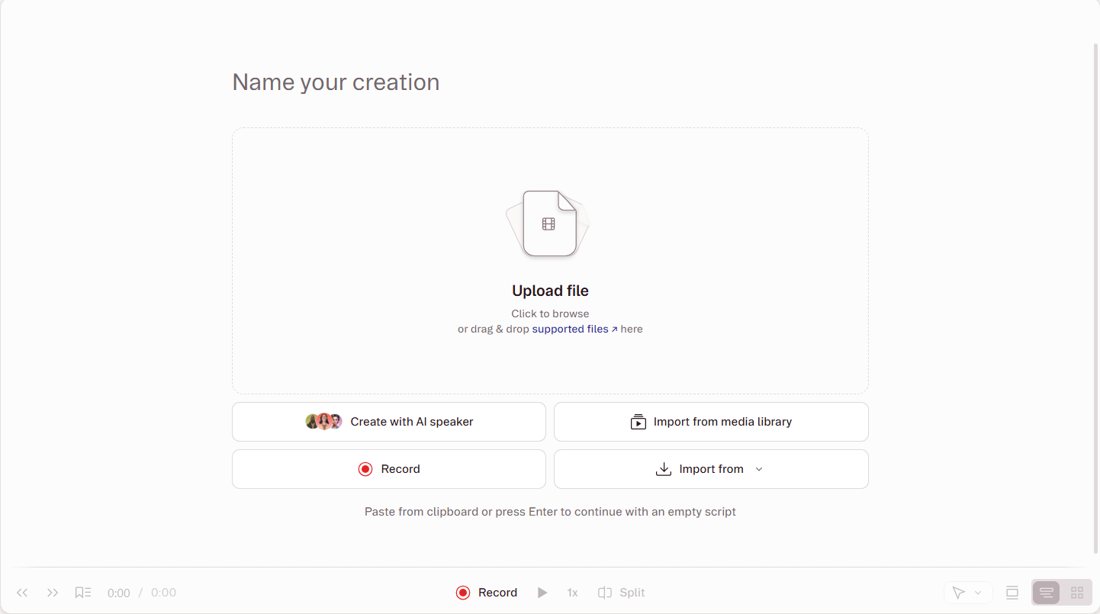
We used Descript's built-in Record button to film a 40-second English introduction to this site with a laptop webcam, no upload needed. The transcript appeared within moments and was accurate, word for word, and Descript automatically split it into scenes on the timeline. The recording used 3 minutes of media time (60 down to 57).
Test 2: edit the video by deleting text
This is what makes Descript different. We selected a sentence in the transcript ("By clearly explaining what each tool is truly good at,") and pressed Delete. The sentence disappeared from the video, and the duration dropped from 40.7 to 37.8 seconds. Descript then offered a "Smooth" option to soften the jump at the cut. No timeline skills needed.
Test 3: Underlord, the AI co-editor
Underlord worked for about 13 seconds in total and explained each step. It reported that no filler words were detected (our recording was clean), and it noticed that the one possible match, "right", was used as an adjective ("the right AI tool") rather than a filler, so it left it alone. It shortened a 1.76-second silence at the start, then added word-by-word captions with the current word highlighted. It even gave the project a title: "AI Tool Shelf: Practical Recommendations". Cost: 10 AI credits (100 down to 90).
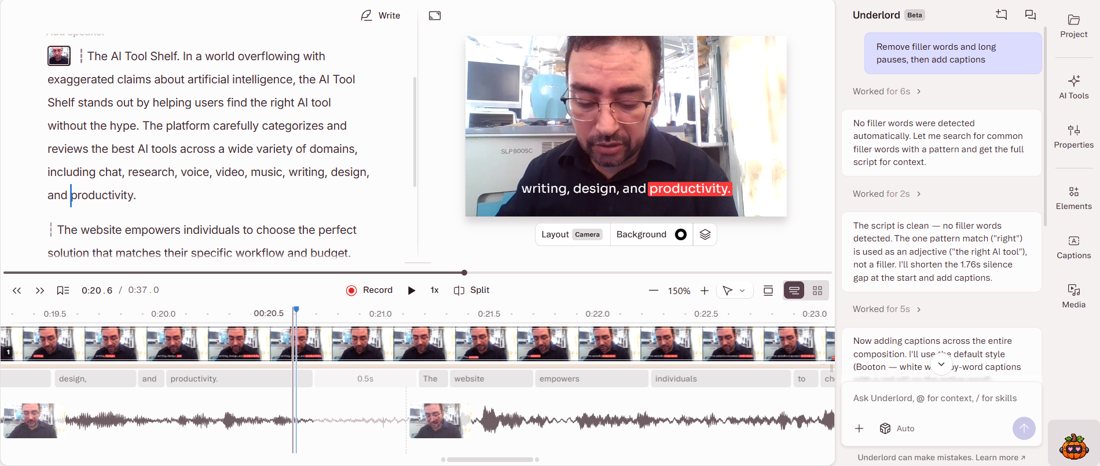
We liked the honesty: instead of cutting words to look busy, it said there was nothing to remove.
Export on the free plan
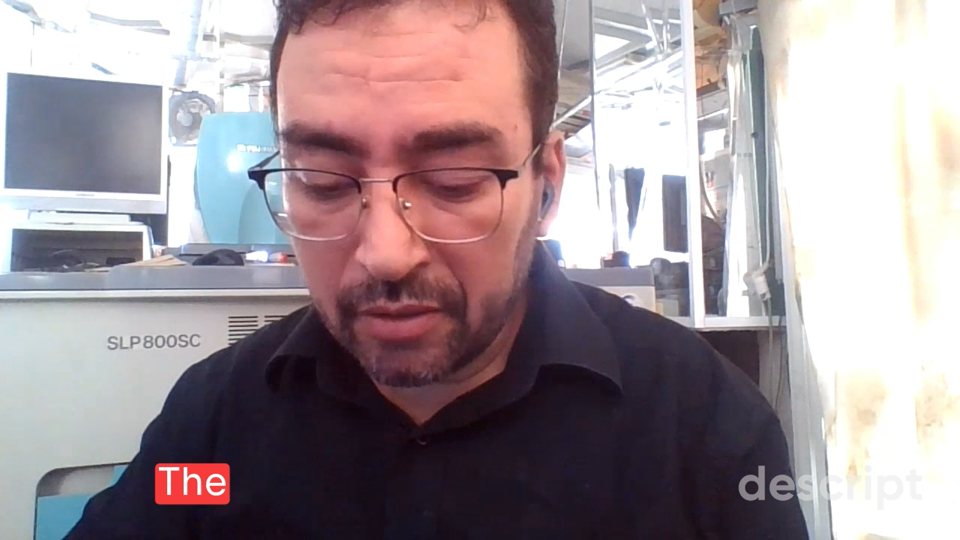
The export panel offers video, audio, timeline, transcript and subtitles. On the free plan the maximum video resolution was 720p, with the message "Upgrade to remove Descript watermarks", and downloading also publishes the composition to a Descript web link (you can choose who can access it). Our 37-second export was about 56 MB, with a "descript" watermark in the bottom-right corner.
Pros and cons
| 👍 Pros | 👎 Cons |
|---|---|
| Editing video by editing text really works | 720p and a watermark on free exports |
| Accurate English transcription | Only 1 media hour a month on free |
| Underlord explains its edits and avoids bad cuts | Studio Sound and Remove Filler Words are listed for paid plans |
| Built-in recording, captions and AI title | Downloading also publishes a web link |
Who should use it?
- Podcasters, YouTubers and teachers who talk to camera and want to edit by reading instead of scrubbing a timeline.
- Beginners who find video editors intimidating.
- For short music clips or Arabic songs, see our AI shorts tools test and Google AI Studio, which transcribed Moroccan Darija.
The verdict
Descript's core idea works exactly as promised: we recorded, deleted a sentence from the transcript and it vanished from the video, and Underlord cleaned up and captioned our clip in seconds while explaining every choice. The free plan is a genuine way to learn the tool, but with 720p, a watermark and one media hour a month, anyone publishing regularly will need a paid plan. For talking-head videos, it is one of the easiest editors we have tested.
Sources: Descript · Descript pricing. Tested October 29, 2026.