 The AI Tool Shelf
- NotebookLM is now called Gemini Notebook and is free with a Google account.
- From one article it made a 12-minute podcast with two natural-sounding hosts and no invented facts.
- A short Arabic podcast (5:52) used natural Modern Standard Arabic.
- The video overview had a good voice but basic visuals, and we hit the free usage warning after six generations.
NotebookLM, now called Gemini Notebook, is Google's free AI notebook: you give it your own sources (a web page, a PDF, a document) and it answers questions about them, or turns them into podcasts, videos, flashcards and infographics. We tested it on a free account in October 2026 with a single source, our own Google Pomelli review, and generated everything we could in one hour, including a podcast in Arabic.
How we tested
- Free Google account, on notebook.google.com, with the interface in French.
- One source: the URL of our Pomelli article, added with Add sources (pasting a link into the chat box does not add it; we made that mistake first).
- We generated a video overview, two audio overviews (default and Arabic), flashcards and two infographics, and checked them against the article.
First impressions
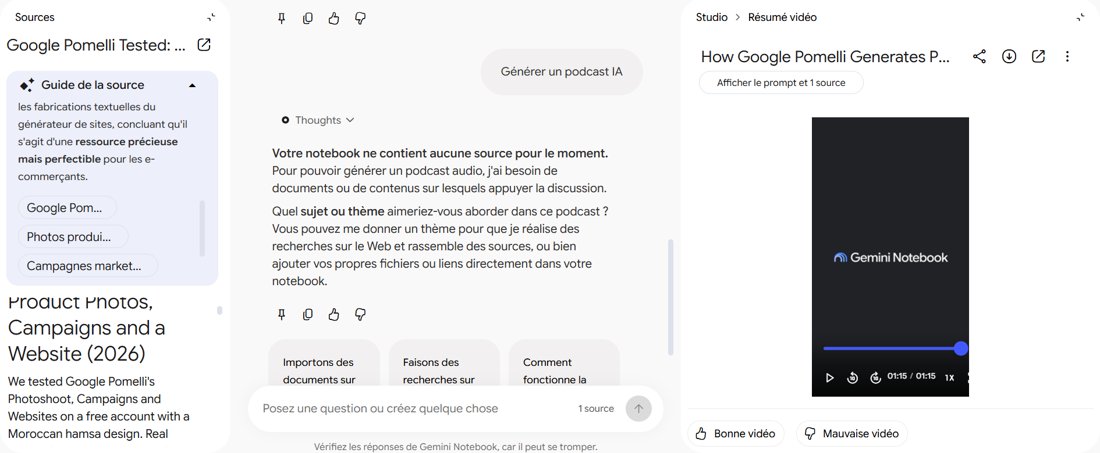
As soon as the source was added, Gemini Notebook wrote a source guide: a short summary that caught the main point of our article (Pomelli is a valuable but imperfect tool for online sellers), with topic buttons to explore. It also named the notebook by itself ("Test de Google Pomelli"). The summary was written in French, the language of our account, even though the article is in English.
Video overview: good voice, weak visuals
The video overview was 1 minute 15 seconds long, in English, titled "How Google Pomelli Generates P…". The narration was clear and the voice sounded good. The visuals were the weak part: simple images that did not look professional and did not really show what the article was about. Fine for a quick summary, but not something we would publish on YouTube.
Audio overview: the star feature
The default audio overview was a 12-minute podcast in French between two hosts, made from one article. It was genuinely impressive: the two voices sounded like real people having a natural conversation, and the information was correct, with no invented facts.
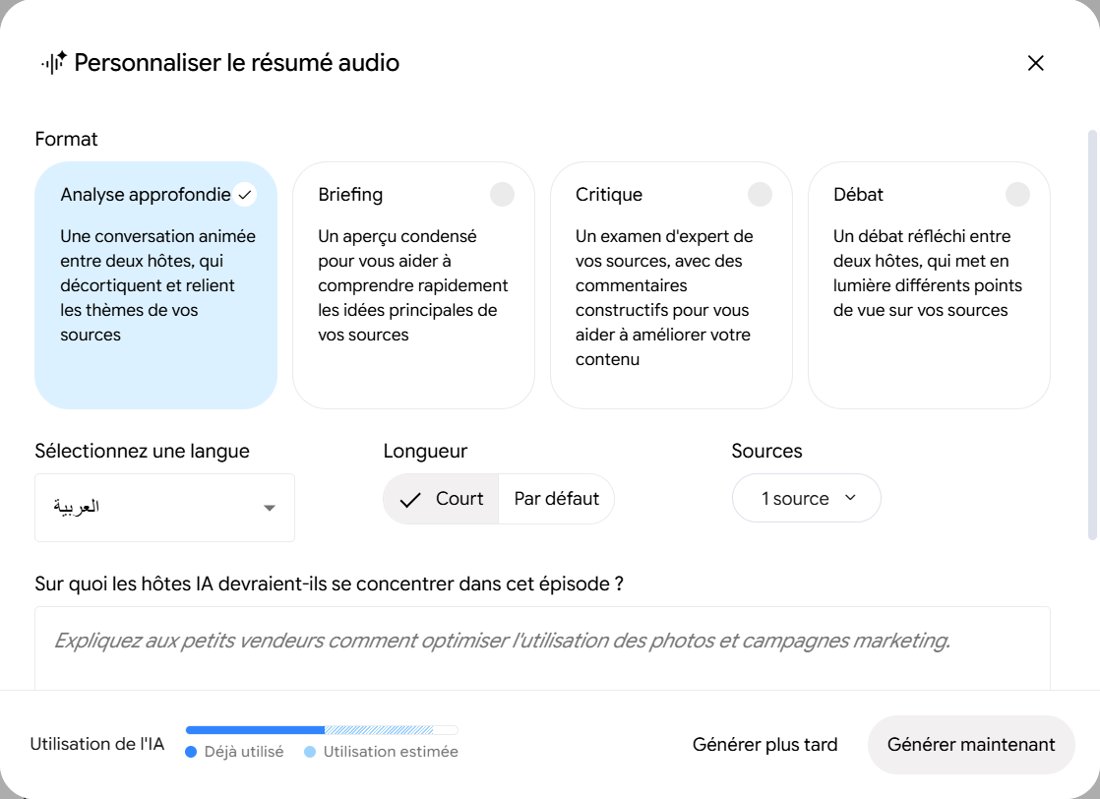
Before generating, you can customise the podcast:
- Format: Deep Dive (a lively two-host conversation), Brief (a short summary), Critique (expert feedback on your content) or Debate (two hosts with different views).
- Language, length (Short or Default) and which sources to use.
- A focus instruction, for example "explain to small sellers how to make the most of the photos and campaigns".
The podcast in Arabic
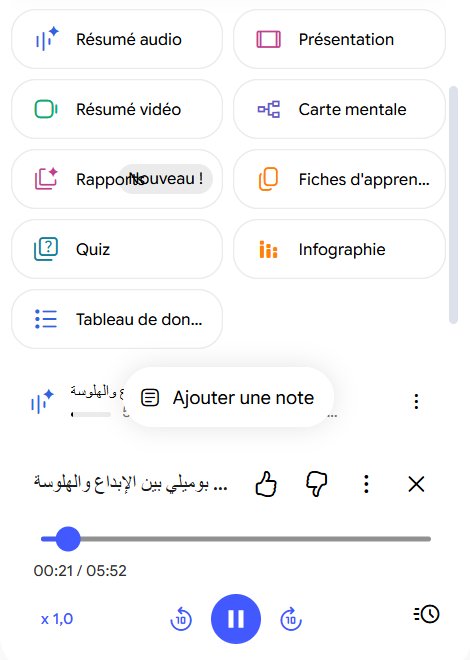
We generated a second, short podcast in Arabic. It was 5 minutes 52 seconds long, with a fitting Arabic title ("Pomelli between creativity and hallucination"). The hosts spoke Modern Standard Arabic (fusha), not a dialect, and the pronunciation was natural. For Arabic speakers, this is one of the easiest ways to turn an English article into an Arabic audio summary.
Flashcards and infographics
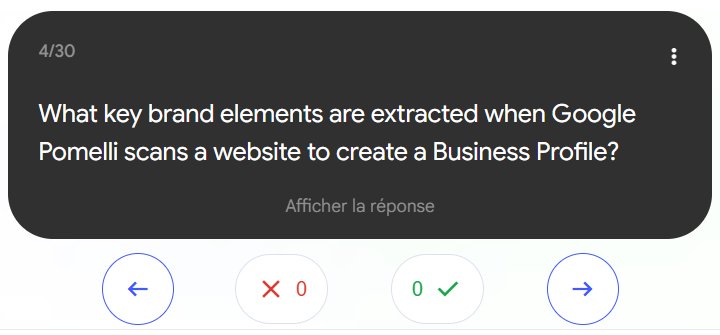
Flashcards: 30 question cards ("What is Google Pomelli?", "What key brand elements are extracted when Pomelli scans a website?"), with buttons to mark what you know. Useful for students, and the questions matched the article closely.
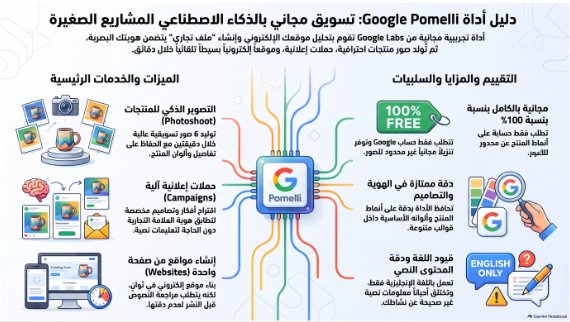
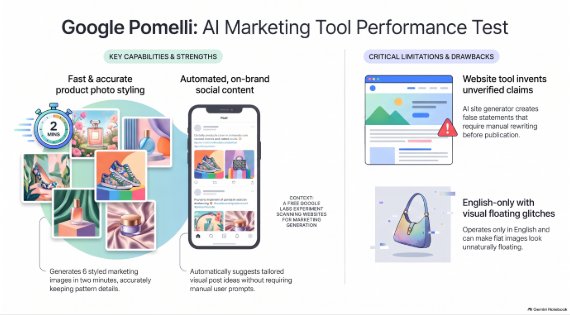
Infographics: we made one in Arabic and one in English. Both summarised the article correctly in a clean layout: the main features on one side (Photoshoot, Campaigns, Websites) and the pros and cons on the other (100% free, accurate details, English only, a website tool that invents claims). The Arabic version was laid out right to left. One detail: the English infographic illustrated Pomelli with generic perfume, sneaker and handbag images, not the hamsa design we actually tested.
The free plan limit
After about an hour and six generations (one video, two podcasts, flashcards and two infographics), we saw the message "You're getting close to your AI usage limit. Limit resets at 13:57." The free plan is generous, but the budget refreshes in time windows, so heavy users will hit it. A usage bar in the audio settings shows how much a generation will cost before you start.
Pros and cons
| 👍 Pros | 👎 Cons |
|---|---|
| Free with a Google account | Video visuals look basic |
| Podcasts sound like two real people | Output language follows your account language unless you change it |
| Accurate: no invented facts in our test | Usage limit after a few generations |
| Natural Standard Arabic audio | Infographic images can be generic |
| Many formats from one source | Pasting a link in the chat does not add it as a source |
Who should use it?
- Students: turn course notes into a podcast, flashcards and a quiz.
- Bloggers and creators: turn an article into an audio version or an infographic for social media, in several languages.
- Arabic speakers: listen to an Arabic summary of English documents.
Compare it with other free assistants in our ChatGPT vs Gemini vs Claude test, or see the best free AI chatbots.
The verdict
Gemini Notebook (NotebookLM) is one of the best free AI tools we have tested. From a single article, it produced an accurate 12-minute podcast with two natural-sounding hosts, a short podcast in natural Standard Arabic, 30 flashcards and two correct infographics in about an hour. The video overview is the weak spot, with basic visuals, and the free usage limit arrives faster than you might expect. But for learning, summarising and repurposing your own content, it is hard to beat, especially at no cost.