 The AI Tool Shelf
- Pomelli is a free Google Labs experiment that builds a Business Profile from your website, in English only.
- Photoshoot made six marketing photos from one design in about two minutes, keeping the pattern and colours accurately.
- Campaigns suggested on-brand ideas that matched our site without any prompt.
- The Websites feature invented claims about our business, so its text needs rewriting before publishing.
Pomelli is a free experiment from Google Labs that promises to do a small business's marketing for it: it reads your website, builds a "Business Profile" of your brand, then creates product photos, social media campaigns and even a simple website. We tested its three main features on a free account in October 2026, using a traditional Moroccan hamsa (khamsa) design as our product and this site as the business. Here is what it made, with screenshots, and where it went wrong.
How Pomelli works
When you start, you enter your website address. Pomelli scans it and creates a Business Profile: your logo, colours, fonts, tone of voice and images. Everything it creates afterwards uses that profile. The left menu has five sections: Business Profile, Campaigns, Photoshoot, Brand Book and Websites.
One surprise: the image library ("Assets from Business Profile") also showed photos of a real photo shop storefront linked to the same Google account, not only images from our website. If you use Pomelli, check which images it has pulled in before you generate anything public.
Test 1: Photoshoot (AI product photos)
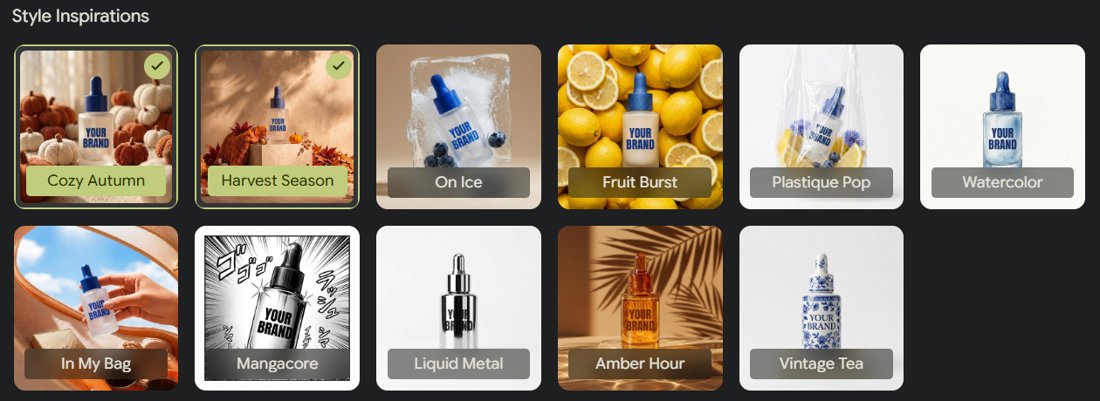
Photoshoot turns one product image into a set of styled marketing photos. It takes two steps: choose a product image (upload one or pick from your assets), then choose up to 6 templates and a format (we used Story, 9:16).
The template library is large: seasonal "Style Inspirations" such as Cozy Autumn, Harvest Season, On Ice, Watercolor, Amber Hour and Vintage Tea; general product shots (Studio, Floating, In Use, Contextual, Ingredient); fashion shots with Model Try On; drinks and food; and even a set made for Amazon product images.
The results
We uploaded our hamsa design and chose six templates. The six images took about two minutes to generate.
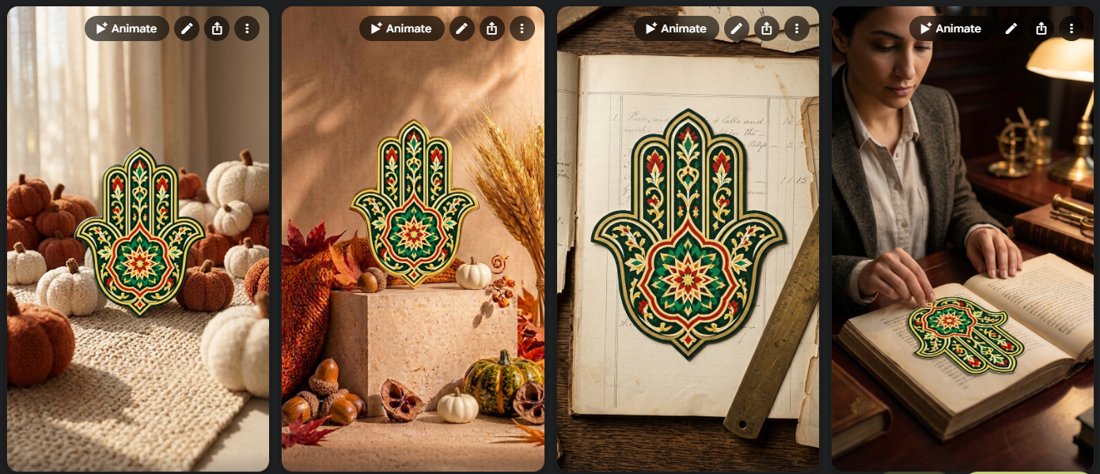
- The design stayed faithful. The detailed pattern and the green, red and gold colours were kept accurately in every image, which is the hardest part of AI product photos.
- The scenes looked professional: warm light, realistic textures and backgrounds that matched each template.
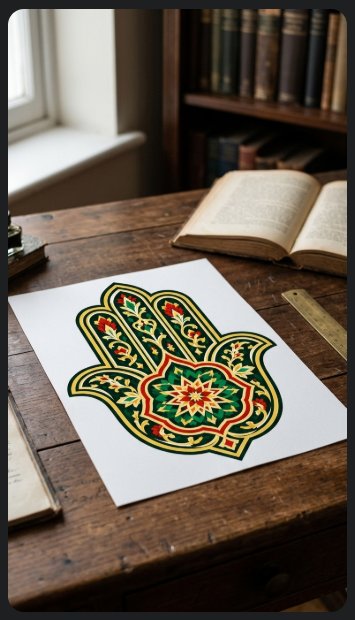
- We liked all six. The most convincing were the ones where the design became a real object: printed on a sheet of paper on a wooden desk, and on the page of a book.
One weakness: in some images the hamsa stands upright on its own among the pumpkins or on the stone block, like a cut-out sticker with no thickness or support. It looks good in a small social post, but not like a real physical product. If you sell a physical item, upload a photo of the real object, not a flat design.
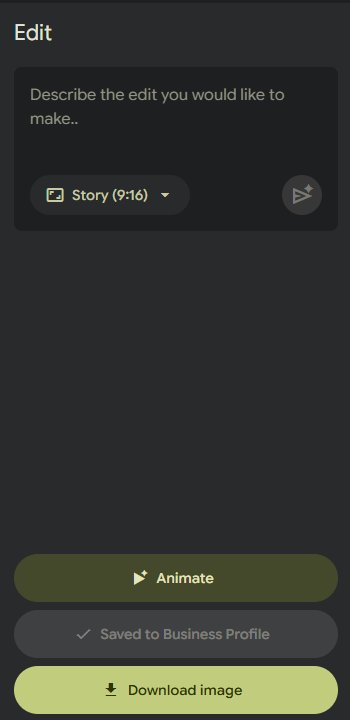
Each image can be downloaded for free, edited with a text instruction ("describe the edit you would like to make"), turned into a short video with Animate, or saved to your Business Profile.
Test 2: Campaigns (social media posts)
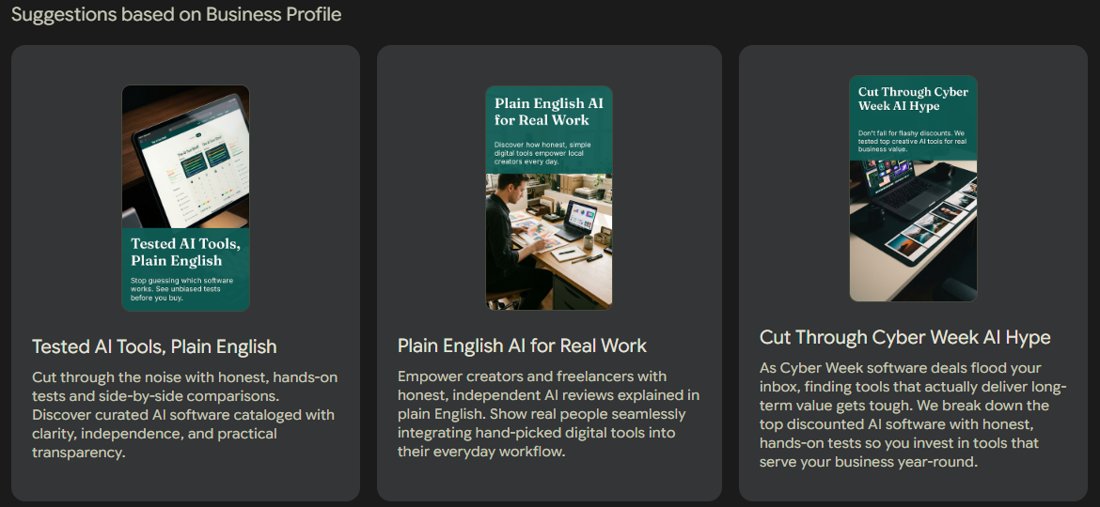
This was the most impressive part. Without us typing anything, Pomelli suggested three campaign ideas "based on Business Profile", and they matched what this site actually does: "Tested AI Tools, Plain English", "Plain English AI for Real Work" and "Cut Through Cyber Week AI Hype", a timely idea for the November sales season. It had clearly understood that the site is about honest, hands-on tests.
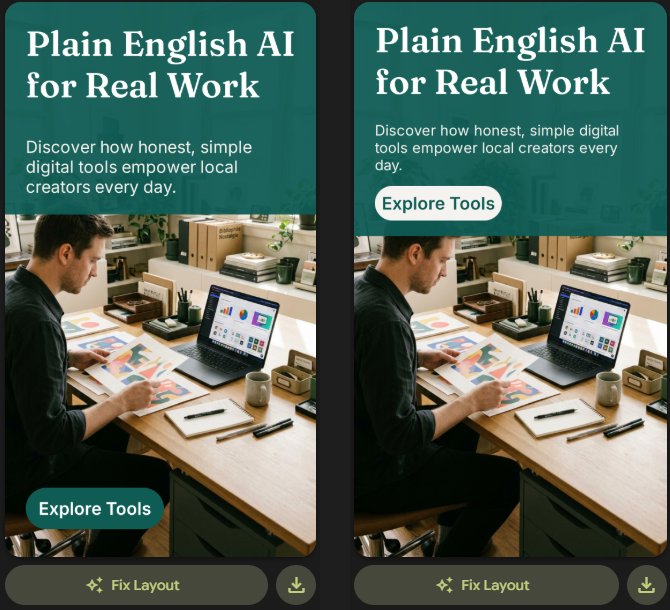
Each campaign creates ready-to-post graphics with a header, description and call-to-action button in the site's colours and fonts, plus an AI-generated image. You can edit each part, hide it, or press Fix Layout. In our first version the "Explore Tools" button sat at the bottom over the photo; after Fix Layout it moved under the text, which looked cleaner. A version history lets you go back.
Test 3: Websites
The new Websites feature builds a one-page site from your Business Profile in a few seconds. Ours had the right logo, colours and fonts, and it reused our hamsa photos from Photoshoot.
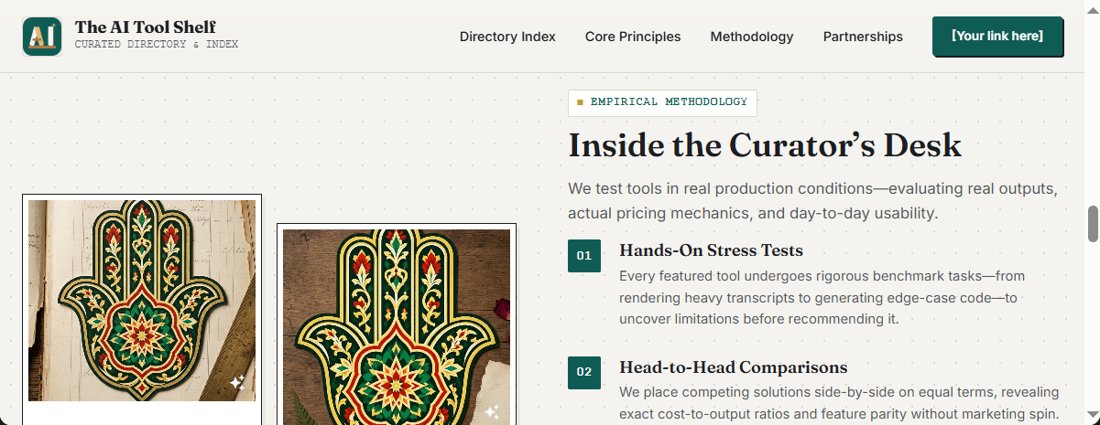
But the text is where you need to be careful. It invented things that are not true about this site: a "Partnerships" section, "rigorous benchmark tasks" and "generating edge-case code", in grand phrases like "Scholarly Rigor Meets Modern AI Utility". The hamsa photos also have nothing to do with an AI tools site. Pomelli itself warns: "Before you publish, verify that you have the necessary rights to all content provided on this site". We left Publish switched off. Use it as a first draft, rewrite every claim, and avoid publishing a second site that copies your main one.
Pros and cons
| 👍 Pros | 👎 Cons |
|---|---|
| Completely free, with free downloads | English only |
| Product details and colours kept accurately | Flat designs sometimes "float" unrealistically |
| Understands your brand from your website | Website text invents claims you must remove |
| Large template library, including Amazon-style shots | Pulls in images from your account you may not expect |
| Fast: about 2 minutes for 6 photos | An experiment: features may change or disappear |
Who should use Pomelli?
- Small shops and Etsy, Zazzle or print-on-demand sellers who need lifestyle product photos without a photographer.
- Anyone running social media for a small brand who wants on-brand post ideas and graphics quickly.
- Not ideal if you need non-English content, or a website you can publish without rewriting.
For other free ways to make images, see our guide to the best free AI image generators, or Ideogram for designs with readable text.
The verdict
Pomelli is one of the most useful free AI tools we have tested for small businesses. Photoshoot turned a single design into six professional-looking marketing photos in two minutes, keeping every detail of the pattern, and Campaigns understood our brand well enough to suggest ideas we would actually use. The Websites feature is the weak spot: treat its text as a rough draft, because it confidently invents claims. Since it costs nothing, it is well worth trying with your own product.